Coding with Processing
Using openprocessing.org
Go to openprocessing.org. Click “Join & Create”. Create an account.
Now click “Create a Sketch”.
Coordinate Systems
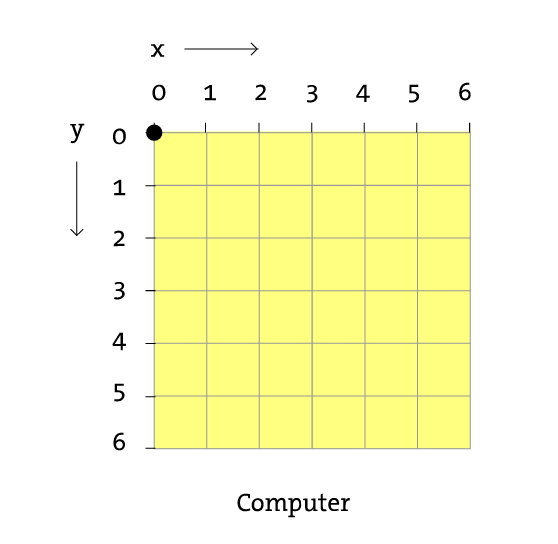
(0, 0) is in the top left corner. It increases in both directions.
Drawing Shapes
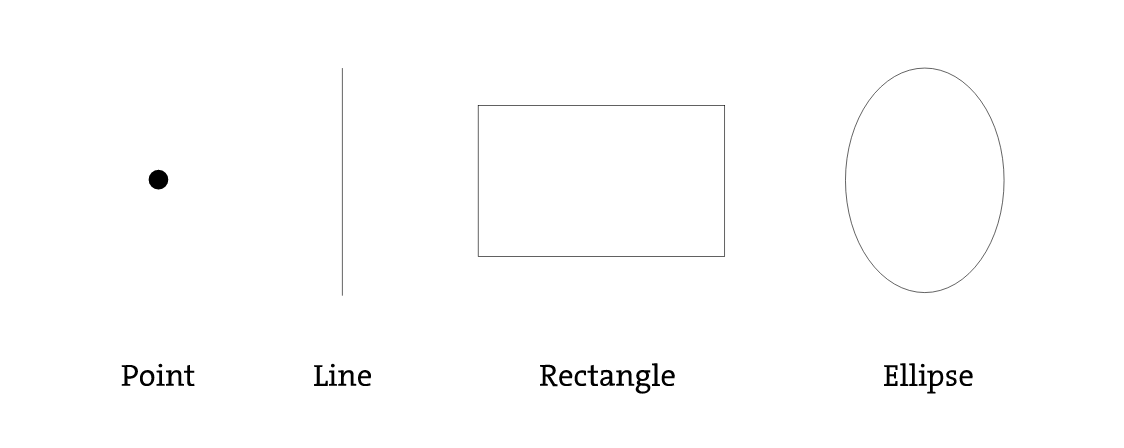
Now we will learn how to draw shapes:
Drawing Points
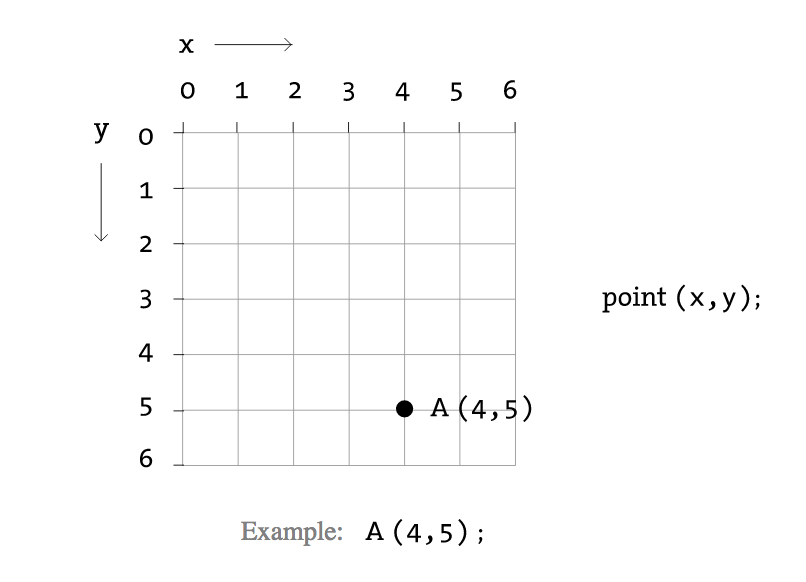
Points are simple to draw. We only need an x and y coordinate.
Drawing Lines
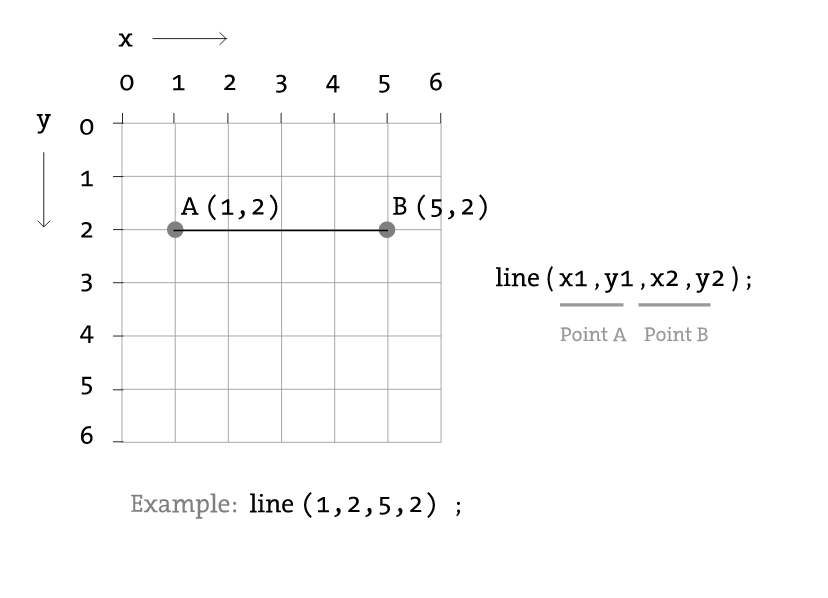
Lines require two coordinates:
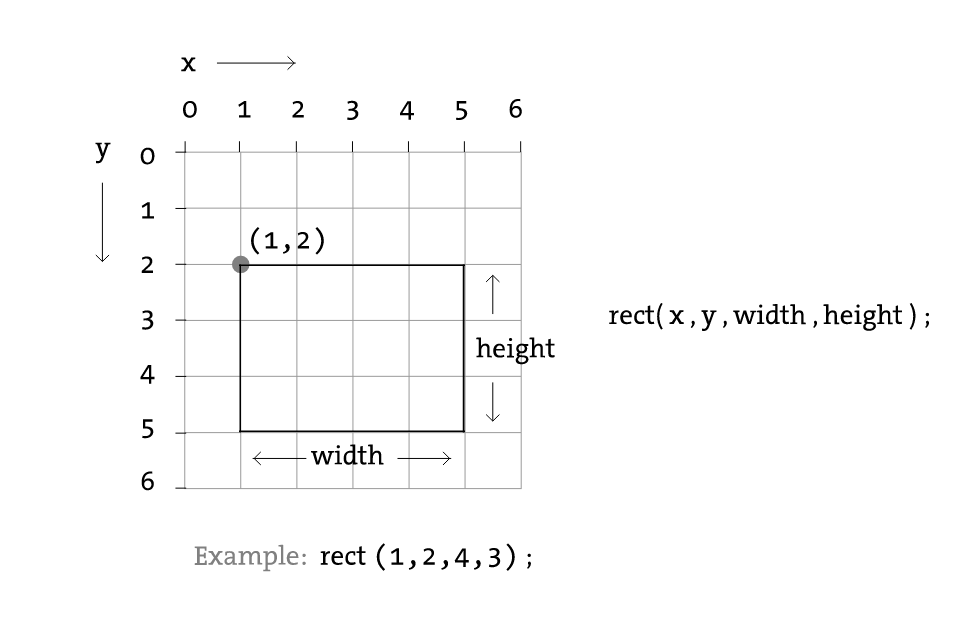
Drawing Rectangles
A rectangle requires the top left corner location and its width and height.
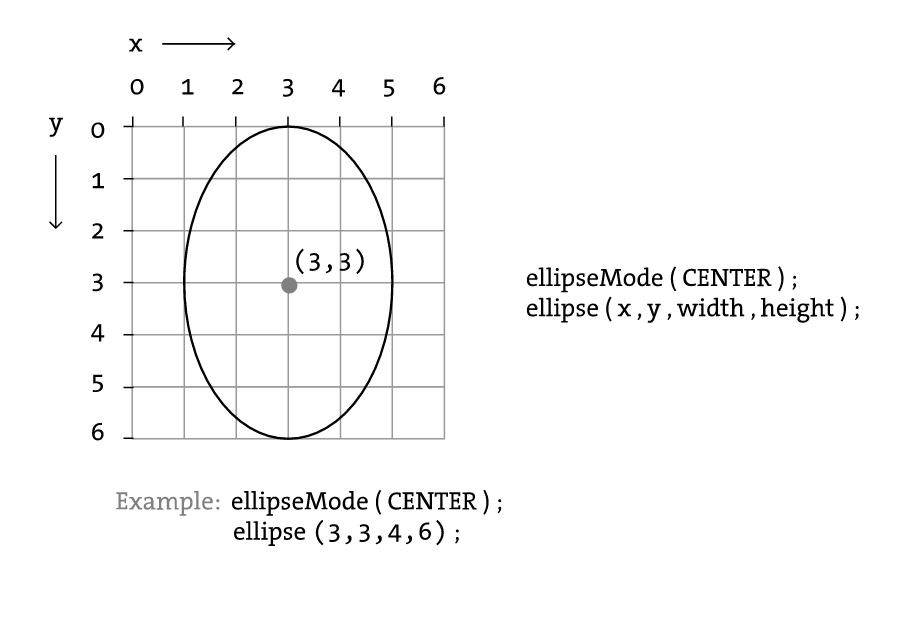
Drawing Ellipses
To draw an ellipse, provide the center point and the width and height.
Drawing
Try running the following code:
First, we will draw a rectangle:
function setup() {
  createCanvas(windowWidth, windowHeight);
}

function draw() {
rect(90,50,20,100);
}

Next, lets draw some ellipses:
function setup() {
  createCanvas(windowWidth, windowHeight);
}

function draw() {
rect(90,50,20,100);
ellipse(100,70,60,60);
ellipse(81,70,16,32);
ellipse(119,70,16,32);
}

Next, lets draw some lines:
function setup() {
  createCanvas(windowWidth, windowHeight);
}

function draw() {
rect(90,50,20,100);
ellipse(100,70,60,60);
ellipse(81,70,16,32);
ellipse(119,70,16,32);
line(90,150,80,160);
line(110,150,120,160);
line(60,100,90,110);
line(110,110,140,100);
}

Now try making your own drawings!
Colors
To set the color, use the fill(r, g, b) command.
function setup() {
  createCanvas(windowWidth, windowHeight);
  background(100);
}

function draw() {
  background(255);

  // Bright red
  fill(255,0,0);
  ellipse(20,20,16,16);

  // Dark red
  fill(127,0,0);
  ellipse(40,20,16,16);

  // Pink (pale red)
  fill(255,200,200);
  ellipse(60,20,16,16);
}

Using the Mouse
You can use your mouse by using mouseX and mouseY as variables. These variables have the coordinates of your mouse.
function setup() {
  createCanvas(windowWidth, windowHeight);
  background(100);
}

function draw() {
  ellipse(mouseX, mouseY, 20, 20);
}
Challenge
Try making this image:
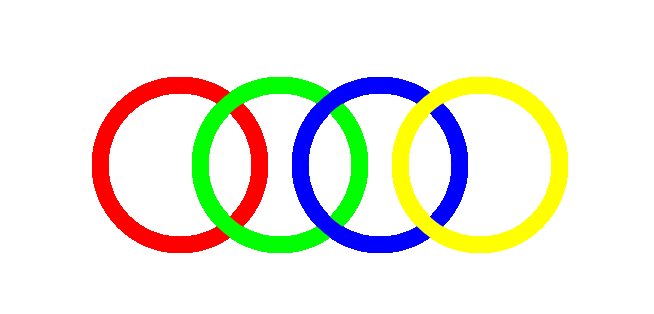
Now go and create something of your own!
If you want more reference, go to https://processing.org/reference/